AION 2 Map and Navigation Guide: Quests, Markers and Routes
Navigate AION 2 more efficiently by reading the world map, tracking quests, checking zones and channels, and planning short exploration routes.
Updated: 2026-10-19 · Published: 2026-10-19
On this page
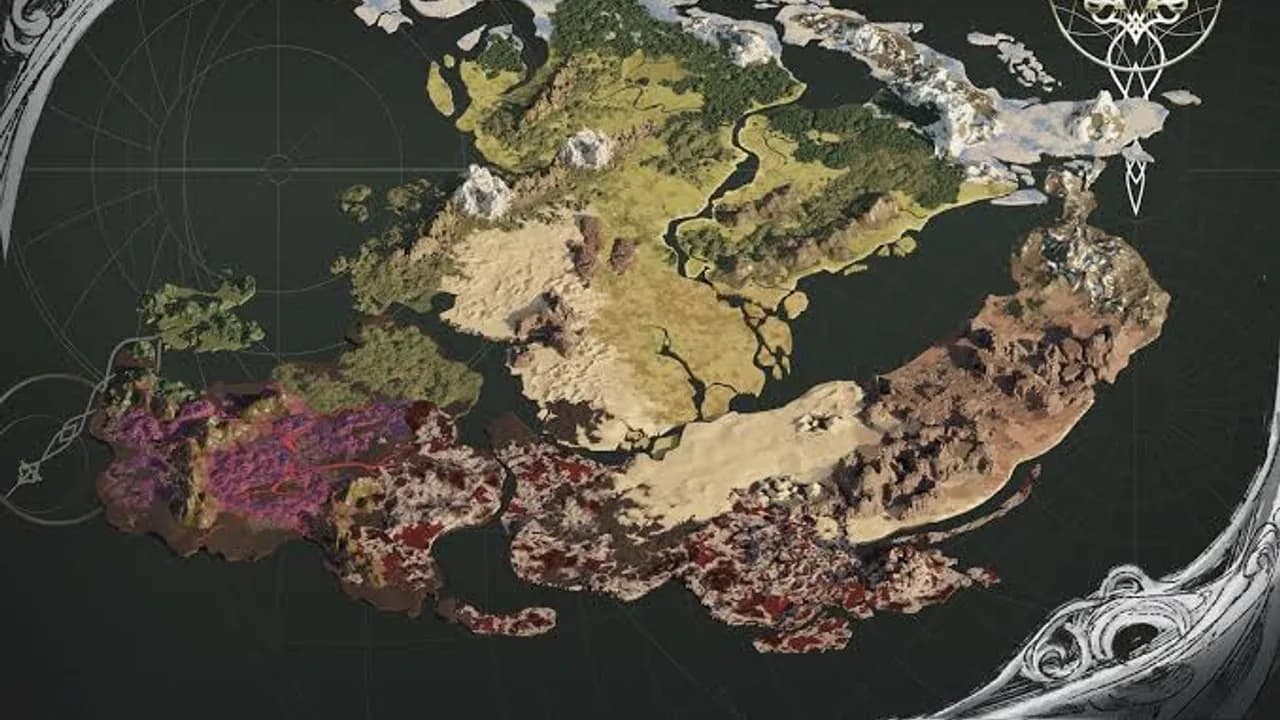
The map is a planning tool, not just a picture of the world. Use it to answer four questions before moving: which zone contains the objective, which marker represents it, whether the route crosses another layer or channel, and which nearby tasks can be completed on the same trip.
Read the World Map in Layers
Begin at the world map and narrow down to the current region and local zone. Check the displayed region name instead of judging only by terrain color. Named subareas, activity spaces and entrances may appear as separate map contexts even when they belong to the same broader region.
The zones guide explains how recorded region and subarea names relate. Use that inventory as orientation, not as a requirement to visit every named location before progressing.
Track the Correct Quest
Open the quest log and select the exact objective you intend to complete. Compare the quest title, step text and destination before following a marker. Similar icons can represent different quest categories, and a marker may point to an entrance, interaction point or search area rather than the final target.
If the route appears to end in the wrong place, read the objective again. It may require an item, a conversation, a different floor or a prerequisite before the target appears. The quest types guide helps distinguish story progression from repeatable and activity-based tasks.
Interpret Markers Before Traveling
Hover, select or open the marker details available in the current client. Note the name, category and whether it belongs to the current quest. Do not assume a community map symbol uses exactly the same meaning as the live game.
For collection routes, record landmarks and subarea names rather than relying only on a cropped image. A useful note contains the region, zone, nearby landmark, elevation or floor, and any condition that was visibly required. Coordinates should not be invented when the game does not expose them.
Check Channel, Instance and Floor
Two players can stand at the same visible position while occupying different channels or instances. If a party member is missing, compare the channel and use the current party-follow action before changing the route. The play-with-friends guide provides a full troubleshooting order.
Also check vertical layers. An objective above, below or inside a structure may look close on a flat map while requiring a different entrance. Follow roads, ramps and doors shown by the environment instead of repeatedly pushing against the nearest wall.
Distance is not the whole route
A nearby marker can take longer than a farther one when it sits on another floor, inside an instance or behind a prerequisite.
Plan a Short Efficient Route
Choose one main objective and group only genuinely nearby tasks around it. A simple route is:
- Start from the nearest available travel point.
- Complete objectives that share the same subarea and layer.
- Gather or inspect markers directly along the path.
- Finish the main quest step before leaving the zone.
- Return, repair or clear inventory before starting a different region.
Avoid crossing the same zone repeatedly for low-priority markers. If a quest unlocks travel or opens another area, complete that step before attempting a full exploration sweep.
Recover When a Marker Seems Wrong
First confirm the tracked quest and current step. Next, reopen the map and compare region, zone, channel and floor. Check the inventory for a required quest item and look for an interaction prompt near the edge of the marked area. Leave and re-enter only after these checks.
If the objective still does not update, stop following old screenshots and read current notices for known issues. Save the quest name, step text and location before contacting official support. Clear information is more useful than a report that says only that the map is broken.
Exploration Checklist
- Confirm region, zone and tracked objective.
- Read the marker label and quest step together.
- Check entrances, elevation, channel and instance state.
- Combine only nearby objectives with the same route.
- Keep inventory space for rewards and collection items.
- Record a landmark when you find a useful location.
- Recheck the live map after an update changes an objective.
Good navigation reduces loading, repeated travel and missed prerequisites. Plan one short route, complete it, then use the new quest state to choose the next route instead of trying to clear every visible icon at once.
Related guides
ExplorationAION 2 Zones Guide: Nine Regions and Exploration Planning
Understand AION 2's recorded zone distribution across faction lands and Reshanta, then plan leveling and collection routes safely.
Read more Getting Started
AION 2 Quest Types Guide: Episode, Exploration and Duty Priorities
Understand AION 2 quest types, choose what to complete first, and keep Episode, Exploration, Duty Scroll and Crafting objectives organized.
Read more Getting Started
How to Play AION 2 With Friends: Server, Faction and Party
Set up AION 2 with friends by matching region, server and faction, then use friend, party and channel controls to meet in game.
Read more Exploration
AION 2 Flying Guide: Takeoff, Gliding and Safe Landings
Learn AION 2 flight and gliding fundamentals: Flight Power, takeoff checks, altitude control, route planning, wing use, and safe landing habits.
Read more