AION 2 Inventory and Storage Guide: Keep, Move or Remove
Organize AION 2 inventory and storage by separating equipment, materials, consumables and temporary items, then make safer disposal decisions.
Updated: 2026-10-19 · Published: 2026-10-19
On this page
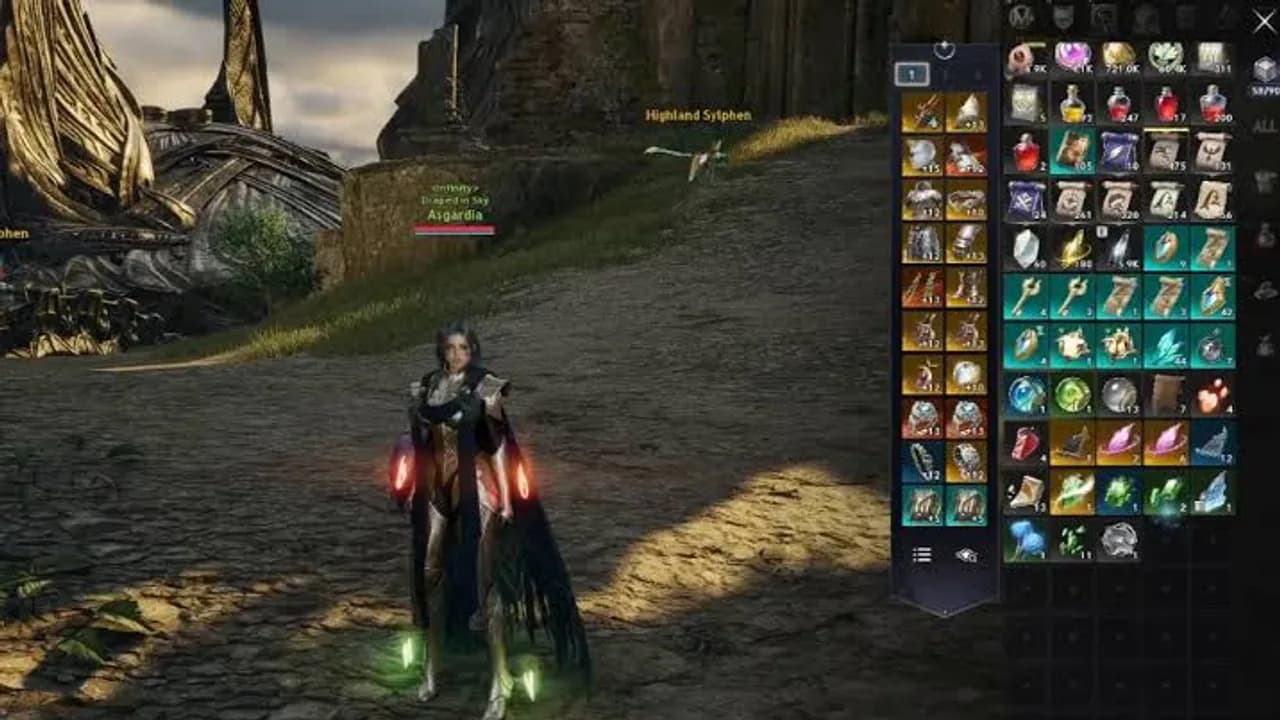
Inventory problems usually come from postponing decisions until every slot is full. Use a repeatable sorting routine after a play session: protect valuable items first, move long-term resources to storage, prepare a small field kit, and only then consider selling, extracting or discarding anything.
Protect Items Before Sorting
Start with equipment currently used by any build, rare rewards, upgrade targets and items whose purpose is unclear. Lock or favorite them if the current client offers that action. Read the tooltip, restrictions and available item-menu operations before moving the item into a disposal group.
Do not assume two icons with the same artwork are interchangeable. Compare name, grade, level, binding state, expiration and quantity. Temporary or event items should be checked for a timer before they disappear into long-term storage.
Use Four Inventory Groups
Create a simple mental or physical order:
- Active equipment — current set, alternate role pieces and the next upgrade candidate.
- Materials and currencies — resources used for enhancement, crafting or progression.
- Consumables — food, recovery, utility and activity-specific items needed during play.
- Review items — unopened containers, quest objects, cosmetics and anything not yet understood.
Place frequently used items in consistent locations. A stable layout makes missing supplies obvious before a dungeon and reduces the chance of acting on the wrong stack. The consumables guide helps separate routine supplies from situational ones.
Decide What Belongs in Storage
Storage is for useful items that do not need to travel with the character. Move long-term materials, alternate equipment and infrequently used consumables there. Keep enough free storage space for the next batch of rewards; completely filling both inventory and storage only moves the same problem.
Use labels or a consistent slot range for each category if the interface allows it. When account-wide and character-specific storage options differ, confirm the destination before transferring a bound item. Never assume every item can be reclaimed by another character.
Review Old Equipment Safely
Compare an old piece with the equipped item and the next planned upgrade. Check stats, set effects, enhancement investment, appearance value and every action shown in its item menu. The gear progression guide helps identify whether it still supports an active goal.
Then follow the old gear decision guide instead of deleting equipment to create an emergency slot. Extraction, transformation, sale and other operations may have different requirements or outcomes. The current tooltip and confirmation window are the final authority.
Pause before irreversible actions
If an item is rare, enhanced, bound, cosmetic or unfamiliar, move it to the review group until you understand the exact operation shown by the client.
Build a Small Field Kit
Carry only the supplies needed for the next activity plus a reasonable reserve. A practical field kit includes the active equipment set, regularly used recovery or utility consumables, and any item the activity explicitly requires. Store unrelated crafting materials and alternate sets before a long farming session.
Restock using a target quantity rather than filling every available slot. Check stack limits and expiration before buying more. This keeps enough space for equipment, quest rewards and unexpected drops without forcing decisions in the middle of combat.
Clear Space in the Right Order
When space is low, use this order:
- Combine compatible stacks and open only containers you intend to use.
- Move long-term materials and alternate equipment to storage.
- Complete or remove clearly identified expired and temporary items using the available client action.
- Review ordinary sale items.
- Process old equipment only after checking its alternatives.
- Discard an item only when its tooltip, value and other actions have been reviewed.
Do not mass-select a mixed section of the bag. Sort one category at a time and reread the confirmation when the game warns about grade, binding or enhancement.
Weekly Inventory Routine
Once a week, compare stored materials with your current progression target. Keep resources that fund that target and reduce duplicates that no longer serve a plan. Review expiring items, unopened rewards and alternate equipment before the reset or before starting a large reward session.
Finish with free space in both inventory and storage. The goal is not an empty bag; it is a bag where every remaining group has a purpose and the next useful drop has somewhere safe to go.
Related guides
AION 2: What to Do With Old Gear (Extract, Morph or Sell)
Don't vendor your old gear in AION 2. Extraction refunds Enhance Stones and unlocks wardrobe skins, Substance Morph turns uniques into transfer materials - here's the decision guide.
Read more Equipment
AION 2 Gear Progression Guide: Upgrade Without Wasting Materials
A practical AION 2 gear progression path covering upgrade checks, slot priorities, replacement decisions, Item Level and material budgeting.
Read moreSystemsAION 2 Consumables Guide: Potions, Food, Scrolls and Loadouts
Build an AION 2 consumable loadout with potions, serums, food, scrolls and return items while avoiding binding and buff mistakes.
Read more